- Install Chrome browser on your computer if you don't have it.
- Go to this page (located at http://pline.co/r/test_chrome_plugin) on your computer with the Chrome browser and download the Chrome extension file.
- Open your Chrome browser and type this in the URL address bar:
chrome://extensions/ - Drag the file you downloaded and drop it here.
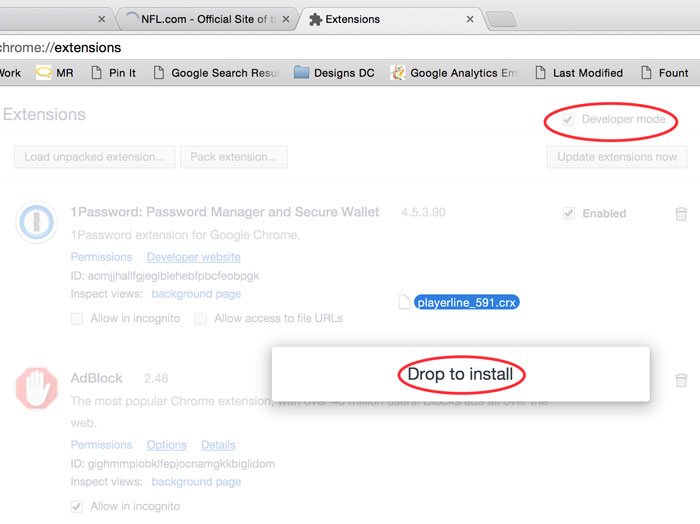
- Click "Add extension" when prompted.
- The extension should install briefly.